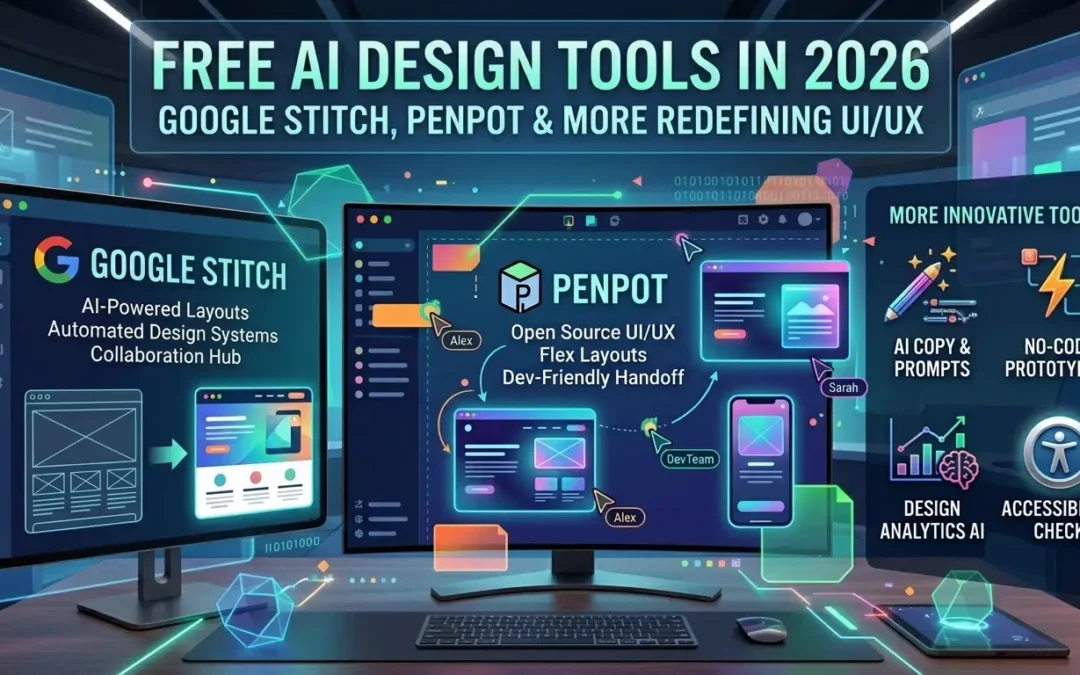
Something shifted in UI/UX design in early 2026 — and if you haven't noticed yet, you will soon. The tools that used to require weeks of learning and years of experience are being quietly replaced by AI-powered alternatives that generate polished interfaces from plain English in minutes. Some of them are completely free.
Here's an honest look at the best free AI design tools available right now, what they're actually good for, and how they fit together into a practical workflow.
Google Stitch — The One Everyone Is Talking About
On March 19, 2026, Google released a major redesign of Stitch, its free AI design tool from Google Labs. Figma's stock dropped 8% within hours of the announcement. That reaction tells you everything about how seriously the industry is taking it.
Stitch takes what's called a "vibe design" approach: instead of drawing wireframes or dragging components, you describe what you want in plain language — or speak it out loud — and the AI generates high-fidelity UI designs. The March 2026 update added several significant features: an AI-native infinite canvas where you can work across multiple screens simultaneously, a voice interface that lets you give design instructions out loud and hear real-time critiques back, automatic prototype generation that connects screens into clickable flows, and clean HTML/CSS code export that works directly with Figma or developer tools like Cursor and Claude Code.
Perhaps most importantly: Stitch is completely free. No credit card, no subscription, 350 free generations per month with just a Google account.
The honest caveat is that Stitch excels at the beginning of the design process — rapid ideation, early prototypes, exploring multiple directions quickly. For production-level refinement, detailed design systems, and pixel-perfect polish, you'll still want to move to Figma. The practical workflow most teams are adopting: start in Stitch, finish in Figma.
Penpot — The Open-Source Figma Alternative
Penpot has been gaining serious traction as a free, open-source alternative to Figma. Unlike most design tools, it runs entirely in the browser, works on any platform, and can be self-hosted — which makes it particularly attractive for teams with privacy requirements or organizations that need full control over their data.
Its feature set is substantial: components, auto layout, responsive design tools, and a developer-friendly approach that outputs clean CSS. The free cloud version is genuinely capable for individual designers and small teams. It won't replace Figma for large enterprise teams, but for independent designers and startups, it's a strong choice that costs nothing.
UX Pilot — AI for the UX Process Itself
Most AI design tools focus on generating visual interfaces. UX Pilot takes a different angle: it helps with the UX thinking process — user flow mapping, wireframe generation from prompts, and translating rough briefs into structured design directions. It's particularly useful in the early stages of a project, before you even know what screens you need.
The free tier is limited but useful for solo projects and quick explorations. For teams working on complex SaaS products, it becomes a meaningful accelerator during the discovery and architecture phase.
Lunacy — Offline-First and Completely Free
Lunacy, built by Icons8, is a desktop design tool that works on Windows, macOS, and Linux — fully offline, with no cloud dependency. It mirrors Figma's interface closely enough that the learning curve is minimal, and it comes with direct access to Icons8's extensive library of icons, illustrations, and UI kits built right in.
For designers who prefer working locally, or who work in environments with unreliable internet, Lunacy is a genuinely compelling option. It handles Sketch file imports and supports collaborative features, though less robustly than Figma. The entire tool is free.
ProntoPersona — For Realistic Placeholder Data
No design workflow is complete without realistic data to populate it. ProntoPersona fills that gap: a free online tool that generates complete fictional user profiles in one click — name, address, email, phone number, and an AI-generated face across 200+ countries.
It's the kind of tool that seems small until you realize how much time you were wasting inventing placeholder data manually. Whether you're populating a Figma mockup, preparing a client demo, or filling a test database, a random profile generator this polished is genuinely rare at any price. No sign-up, no usage limits.
The Bigger Picture: What's Actually Changing
The tools above share a common theme: AI is absorbing the repetitive, mechanical parts of the design workflow — generating layouts, writing interface code, producing placeholder data — so designers can spend more time on the parts that actually require human judgment: understanding users, making strategic decisions, and refining the details that make a product feel right.
This doesn't make design skills less valuable. If anything, it raises the bar: when anyone can generate a passable interface from a text prompt, the designers who stand out are the ones who can take that generated starting point and turn it into something genuinely good. The tools handle the first 70% faster than ever before. The last 30% still requires a designer.
The practical advice for 2026: learn to use these tools early, build them into your workflow before you need them, and treat them as accelerators rather than replacements. The designers who figure this out now will have a significant advantage over those who resist the shift.